Ayudha Pooja is the day you clean your tools, put sandal paste on them, and thank them.
I spent it building one.
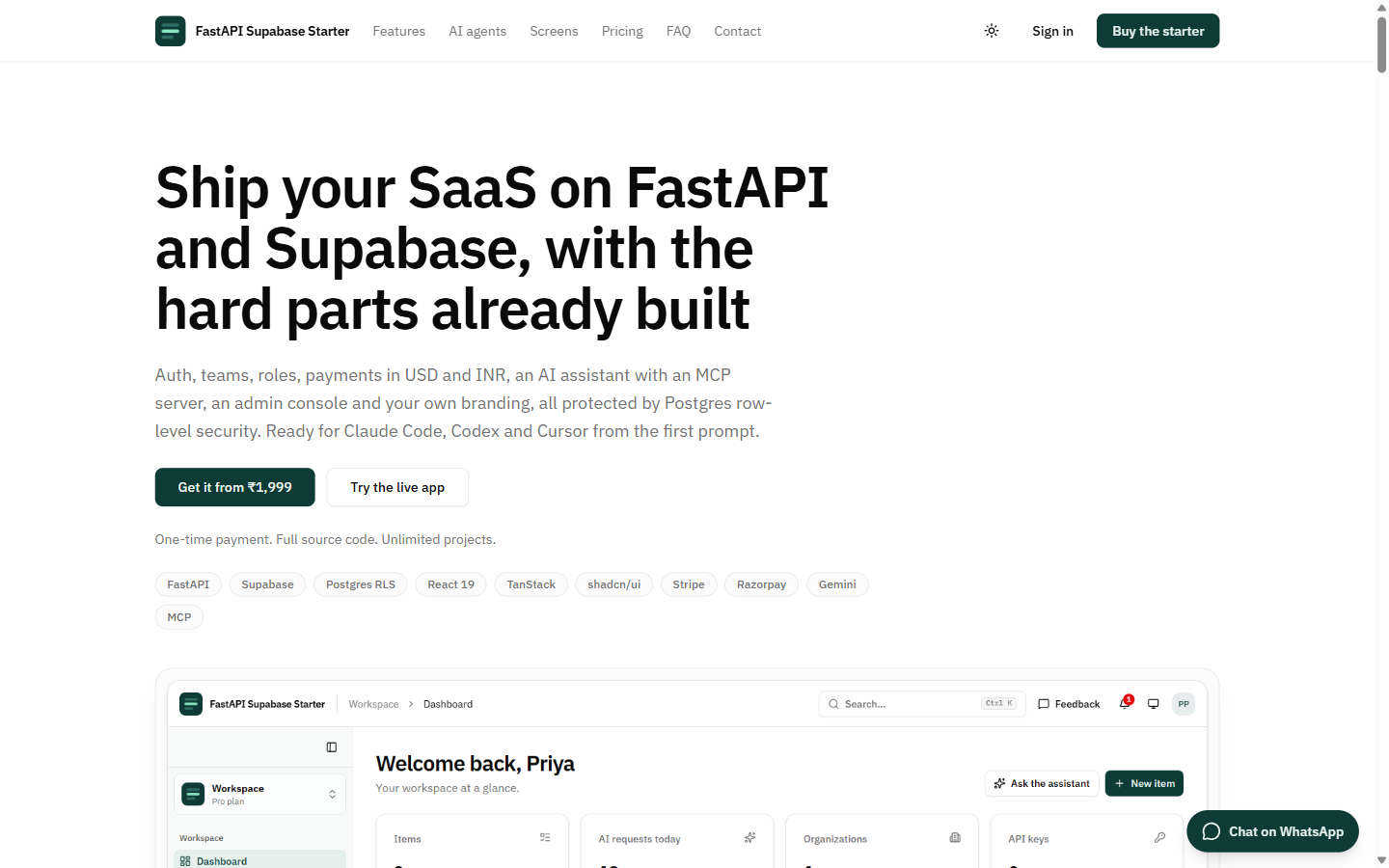
This is the second of two long weekends. The first one went into houses. This one went into a starter kit for FastAPI and Supabase, which I want to sell.
That last word is uncomfortable to write.
So this post is mostly about why it should be worth paying for.
The Problem I Already Had
At Semicon Media I work on Circuit Digest Cloud. It started from Tiangolo's full-stack FastAPI template.
That template is very good. FastAPI, Pydantic, a generated TypeScript client, a React frontend, Docker Compose, tests. And it is free.
It also leaves a lot to you:
- Auth you own. Password hashing, token issuing, sign-up and reset endpoints, SMTP settings, email templates, a mail-catcher container.
- Sessions. An 8-day token in localStorage, with no refresh.
- Ownership. An
owner_idcheck written by hand into every endpoint, and the hope that nobody forgets one. - Everything after "users and items". Roles, teams, invitations, API keys, payments, phone codes, an admin console. Lately, an AI assistant and an MCP server too.
None of that is the product. All of it has to exist before the product can be sold.
That is the problem. Not a hypothetical one. One that has eaten a lot of my working hours.
Wednesday, 7 October
It started on a Wednesday, before the long weekend. The first commit went in at 8:15 AM.
The idea: keep the template's shape, hand auth to Supabase, and let Postgres Row Level Security decide who sees which rows.
At 8:50 AM the second commit added roles, organizations, API keys, Stripe, Razorpay, phone OTP, messaging, a Gemini assistant and an MCP server. It is 7,168 lines.
Nobody writes 7,168 lines in thirty-five minutes. Claude Code wrote most of it. My job was the brief, and reading what came back.
The interesting part of that day is not what went in. It is what came out.
Four Hours, Two Architectures
At 8:50 AM, the backend talked to Postgres directly. Each request ran inside a transaction as the caller: set role authenticated, plus the user's JWT claims, so RLS applied.
At 12:50 PM, that was gone.
The backend now talks to Supabase over its REST API, carrying the user's own token. RLS applies because the request is the user. There is no database connection string in the backend at all. The secret key is used for exactly three things: verifying webhooks, recording payments, and resolving API keys.
API keys were the tricky part. A key has to act as its owner, under the owner's RLS rules. So the server gets a real Supabase session for the owner, using the secret key and an admin magic link that it verifies on the spot, then caches it and refreshes it.
Both versions worked.
The second one has fewer ways to go wrong. A backend with no database password cannot leak one.
The Hole
This is the part I would want to know about, if I were buying.
At 11:55 AM there is a commit titled "close default-grant hole".
By default, Supabase grants ALL on new tables to the anon and authenticated roles. I had written column-level grants on top: users must not change their own plan, must not read key_hash on API keys, must not read token_hash on invitations.
They did nothing.
In Postgres, column grants only add to what a role has. A table-level ALL already covers every column, so the column grants next to it protected nothing.
RLS still kept users to their own rows. But their own rows were exactly the problem.
The fix: every migration now revokes Supabase's defaults first, then grants only what is needed.
And a test called test_users_cannot_escalate plays the attacker. It signs in as an ordinary user, takes the publishable key and that user's own token, skips my backend entirely, and calls Supabase's REST API directly. Then it tries to:
- set its own plan to
enterprise - read the stored hashes of API keys
- insert a payment marked
paid - give itself the admin role
- reset its own usage counter to zero
- call the admin metrics function, and the function that applies payment events
Every attempt has to fail, or the test fails.
These tests run against a real Supabase with the real migrations, locally and in CI. Not a mock. A mock would have said everything was fine.
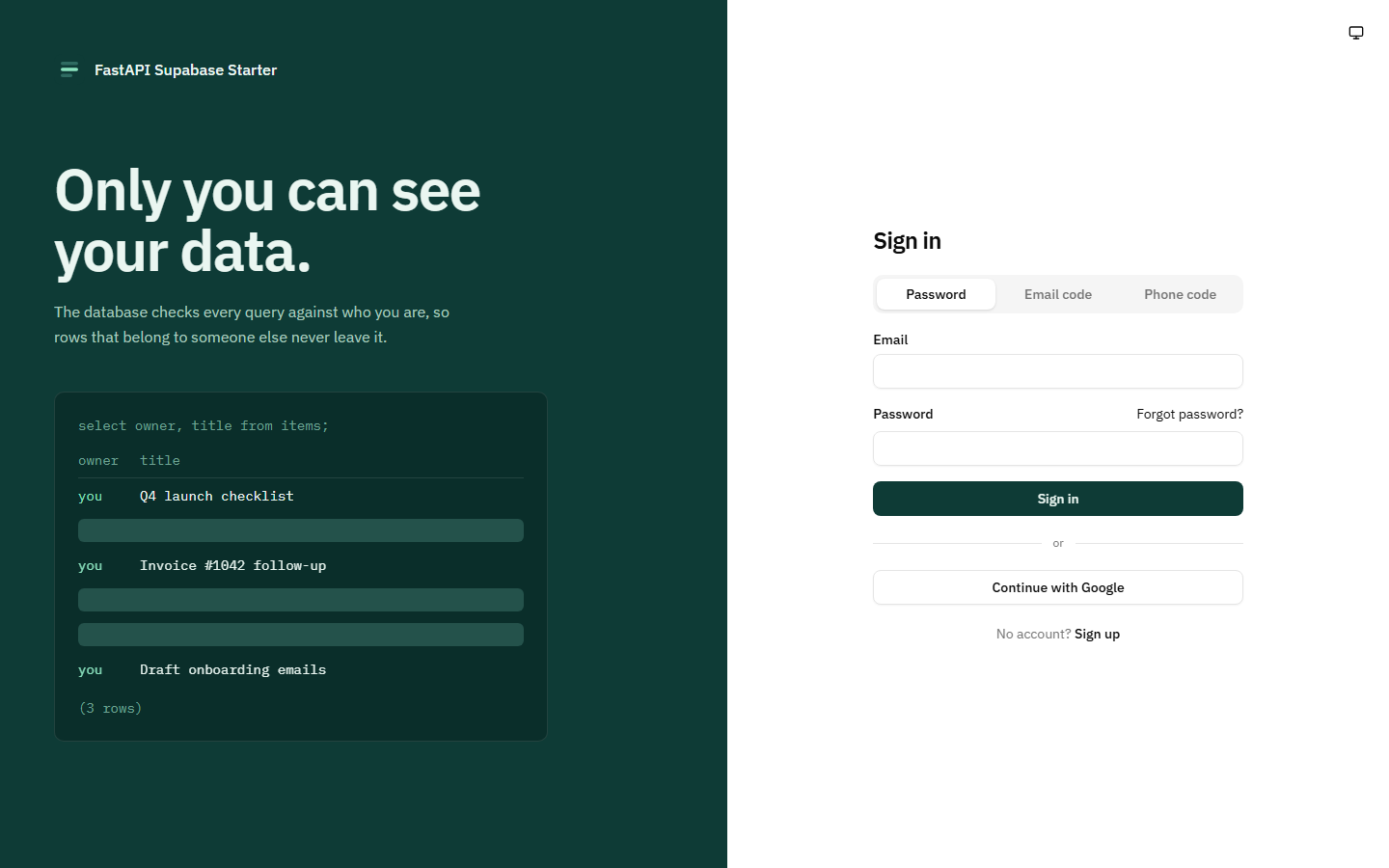
The sign-in page says it on the left: "Only you can see your data."
I wanted that sentence to be true before it was decoration.
Plenty of starters turn RLS on and then query from the server with an admin key. At that point RLS protects nothing. Here, the web app, API keys and MCP clients all reach Postgres as the user.
Built for Here
A lot of starters assume Stripe and an email address. That is not how most people here pay, or sign in.
- Razorpay next to Stripe, so UPI, cards and netbanking all work.
- Webhooks that count. They are signature-verified, they are the only thing that can mark a payment paid, and each provider event is applied exactly once.
- Phone codes over SMS or WhatsApp, through MSG91, wired into Supabase's Send SMS hook.
- Rupees and dollars side by side on the price list.
- Message templates for SMS, WhatsApp and email, managed from the admin pages, with a log of every message sent.
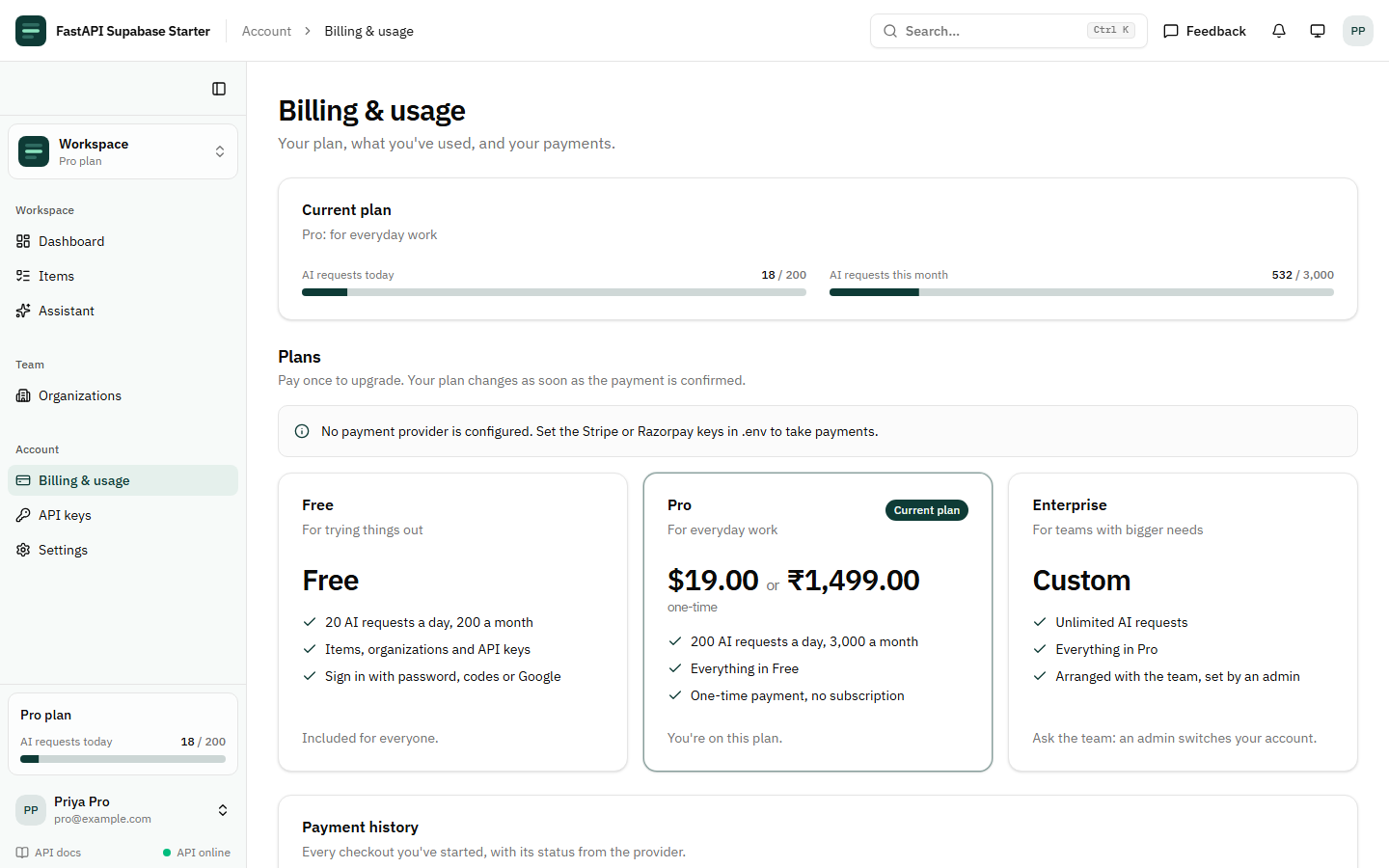
Plans are Free, Pro and Enterprise, with daily and monthly limits per feature. Go over the limit, and the API answers 429. Pay, and the plan upgrades itself when the webhook arrives.
The prices in that screenshot are demo prices for the app you build. Not the price of the starter. That comes later.
Roles That Hold Up
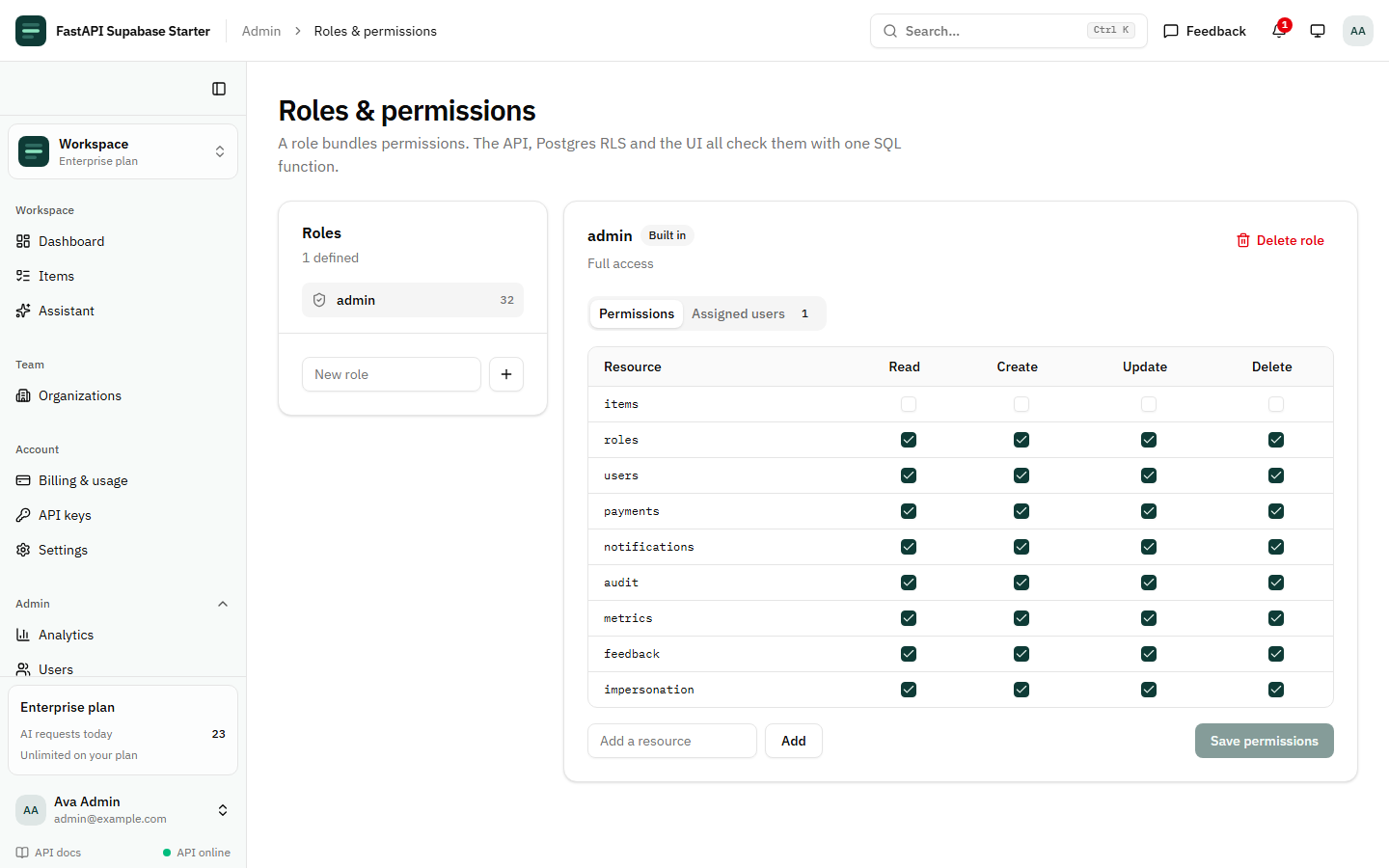
Roles are a matrix: role × resource × read, create, update, delete. Role assignments can expire. A single user can be given an extra permission, or have one taken away.
One SQL function, has_permission(), answers the question for Postgres RLS, for FastAPI and for the UI. Three places, one answer.
Adding a protected endpoint is one parameter:
@router.get("/reports", dependencies=[require_permission("reports", "read")])
def reports(db: UserDB) -> list[Report]:
    return db.table("reports").select("*").execute().data  # runs as the caller, so RLS applies
Organizations have owners, admins and members, invitations by email or link, and ownership transfer.
Every change to roles, permissions, members, API keys, payments and plans goes into an audit log, written by a database trigger, with who made it. Not by application code that someone might forget to call.
Claude Can Use Your App
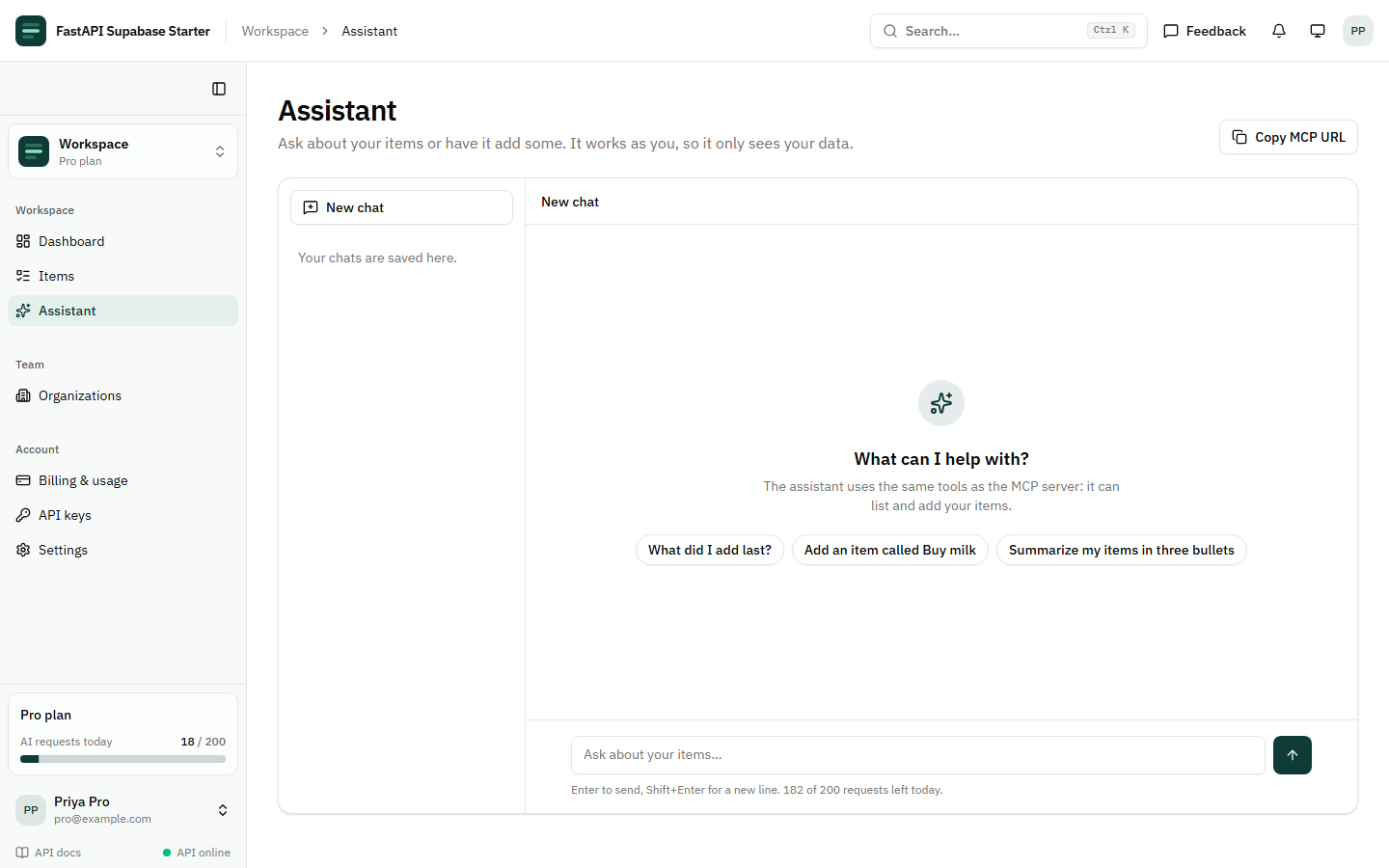
The app ships with a Gemini assistant that calls tools. Out of the box it can list and search items, create one, read the account's plan and usage, and list organizations.
The same tools are served as an MCP server. Claude, Cursor or any other MCP client can connect with Supabase OAuth or an API key, and work in the app as that user. Never beyond their data, because the tools go through the same RLS as everything else.
At my guest lecture I said the important thing about the Circuit Digest Cloud MCP server is that the model never touches a table. It calls a tool.
Same rule here.
Monday Night: The Freeze
The long weekend part started on Monday, 19 October, at 8:29 PM.
With a bug.
Signing out froze the browser tab.
The protected route sent signed-out users to the sign-in page with a ?redirect= back to where they were. But the redirect fired again on every location change. Each time, it wrapped the current URL, which already had a ?redirect= in it, inside another ?redirect=.
Forever.
The fix: redirect once per sign-out.
The same commit redesigned the sign-in page and added a demo seed script.
A Real App Shell
At 10:09 PM the UI was rebuilt on an app shell modelled on Circuit Digest's.
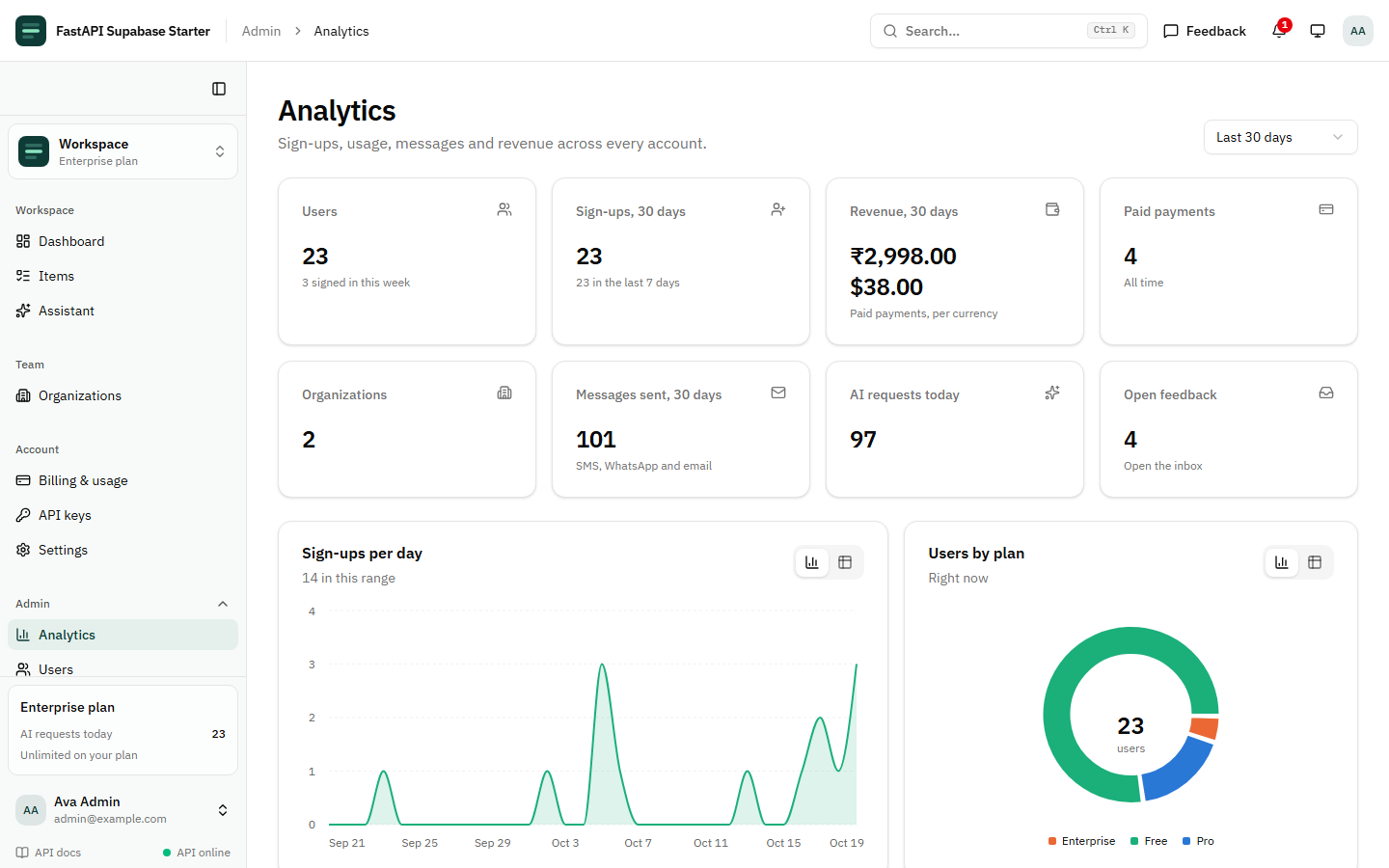
- a sticky header with breadcrumbs, a Ctrl+K command menu, notifications, feedback, theme and account menus
- a sidebar that collapses to icons with Ctrl+B, and becomes a sheet on a phone
- one nav list that drives the sidebar, the command menu and the breadcrumbs, with every admin item behind its own permission
- a dashboard with KPI tiles, usage meters, an AI usage chart and a getting-started checklist
- an admin console split into Analytics, Users, Payments, Roles, Messaging, Feedback and Audit log
- data tables with search, sort, a column picker and paging, and a confirm dialog on every destructive action
Admins can impersonate a user for support, with a "viewing as" banner. Admins themselves cannot be impersonated.
A demo seed creates twenty users with sixty days of backdated history: sign-ups, AI usage, payments in rupees and dollars, messages, feedback.
Empty charts sell nothing.
The Price
Selling means picking a number.
On 7 October the README had three tiers, Solo, Pro and Team, priced in dollars and rupees.
At 11:13 PM on Monday, they became rupees only: ₹6,999, ₹11,999 and ₹24,999. Three months of updates, twelve months, and lifetime.
At 9:17 AM on Tuesday, Vijayadashami, they became ₹1,999, ₹2,999 and ₹4,999.
About seventy percent off, ten hours later.
The README does the arithmetic the other way round. Built properly, with tests, the pieces in the starter add up to seven to eleven weeks for an experienced developer. At ₹2,000 an hour, the low end is about ₹5 lakh of work.
I am not sure that comparison convinces anybody. Developers always believe they can build it themselves over a weekend.
I just did. It took a Wednesday and a long weekend, and an AI pair that does not get tired.
Tuesday Night: The Boring Parts
Tuesday night went into the things nobody puts in a demo and everybody needs in production:
- a Security tab: change email, change password, sign out every other device
- a per-IP rate limit that answers 429 with a Retry-After header, with payment webhooks left out of it
- one log line per request, with status, timing and the real client IP behind a proxy
- a
/healthendpoint that reads a row through Supabase and answers 503 when the database is unreachable - a Postman collection, generated from the API next to the typed client
And white-label branding.
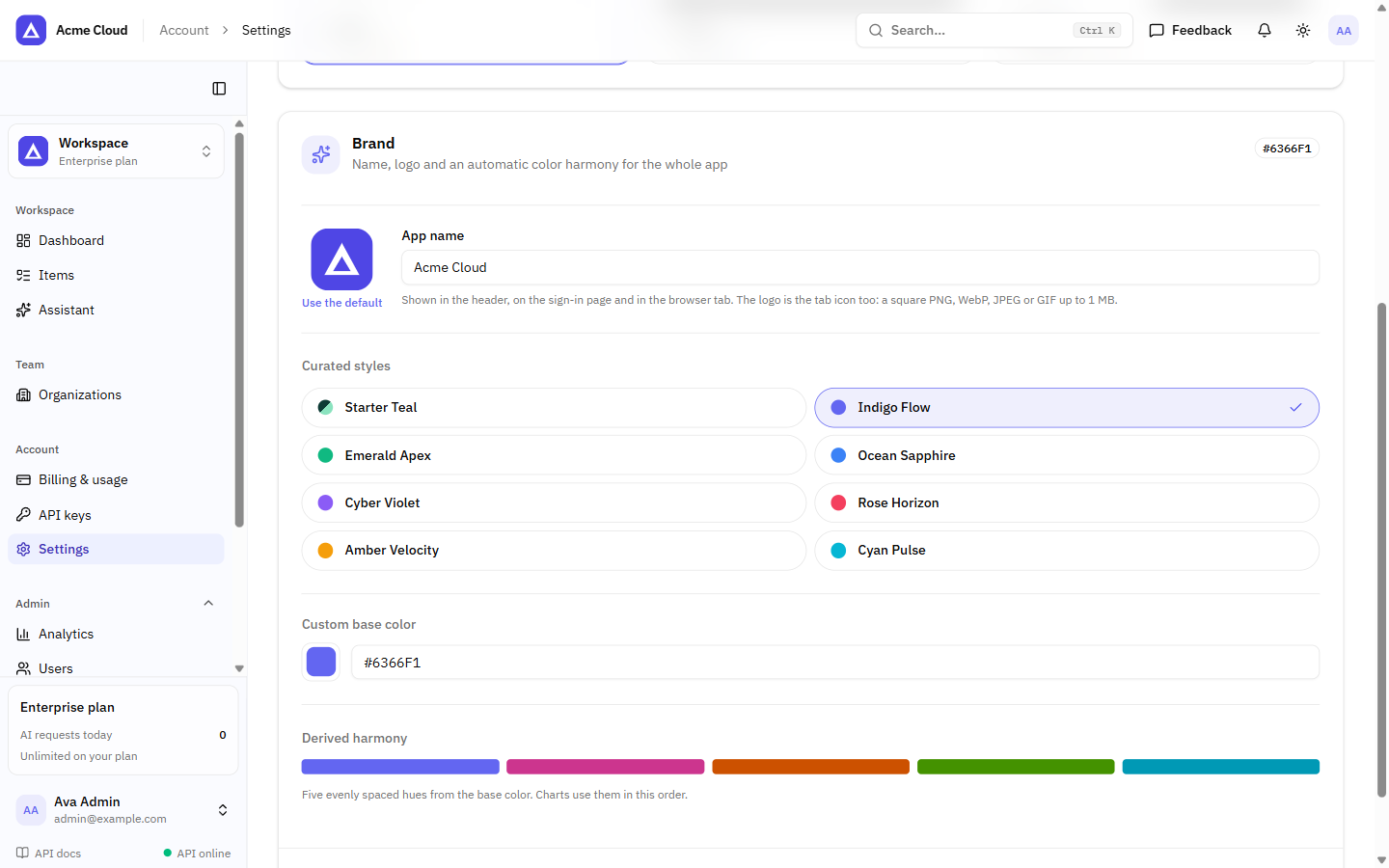
Admins set the app's name, logo and colour under Settings › Appearance. Eight curated palettes, or any custom colour, with five chart colours derived from it. The header, sidebar, sign-in page, tab title and tab icon all follow. The last brand seen is applied before the first paint.
An agency can hand a client "their" app without touching the code.
The last commit went in at 11:33 PM.
Ready for Coding Agents
The starter is meant to be extended by AI coding agents, because that is how I build now.
AGENTS.mdholds the security rules, the commands, the layout and the recipes. Codex, Cursor, Copilot, Windsurf and Claude Code all read it.- Two Claude Code skills.
/add-resourcecreates a migration with RLS, the router, tests, the typed client, the page and the nav entry./add-ai-tooladds a tool to the assistant and the MCP server. ADD_PRODUCT.md, a checklist for an agent adding a whole feature area.- MCP servers set up for Claude Code, Cursor and Codex: Supabase in read-only mode, shadcn/ui, Playwright, and the app's own server.
The security rules are the important part. An agent that does not know them can add an endpoint that queries with the secret key, and every test will still pass. AGENTS.md tells it not to before it tries.
What It Does Not Do Yet
The README has a "Coming next" list, and it says plainly that none of it is in the code yet:
- subscriptions: monthly and yearly plans, per-seat billing, invoices
- Playwright end-to-end tests
- Hindi and Tamil translations
- background jobs, onboarding and product analytics
- two-factor sign-in and passkeys
- an Expo mobile app
Payments are one-time for now. If you need subscription billing today, this is not your starter, and the README says so under "Probably not for you if".
I would rather lose a sale there than answer a refund request later.
Where Things Stand
- Commits: 23. Eight on 7 October, fifteen over the long weekend.
- Migrations: 15, with RLS on every table.
- Backend tests: 36, against a real Supabase.
- Price: ₹1,999, ₹2,999 or ₹4,999, one time.
- Sales page: starter.budeglobal.in
- Not yet: subscriptions, end-to-end tests, translations.
The houses were for me.
This one is for whoever is about to write their fifth login page.
Written on 21 October 2026.